
Download Weight Tracker – Weight Tracker, BMI Calculator, Health & Fitness, Body Weight Monitor
Overview
Weight Tracker is a free Android application designed for individuals seeking a straightforward way to monitor their body weight and Body Mass Index (BMI). Developed by WHPH.net, the app falls within the Lifestyle category, specifically tailored for Health & Fitness users. Its primary purpose is to assist users in tracking weight changes over time, supporting both daily and multiple daily entries to capture fluctuations with precision.
This functionality is especially beneficial for individuals engaged in weight management, fitness regimens, or medical monitoring programs. The clean and intuitive interface ensures accessibility for users of all technical skill levels, from beginners to those experienced in health tracking. Real-world usage scenarios include personal wellness goals, post-weight-loss maintenance, and clinical follow-ups.
The app enables users to maintain a consistent record of their progress, promoting accountability and long-term health awareness. While the developer did not provide additional system requirements, the app is optimized for mobile environments and integrates seamlessly into daily routines. The ability to visualize data through calendar and list views enhances usability, making it easier to spot trends and make informed decisions about diet and exercise.
Key Features & Capabilities
- Multi-Times Daily Weight Logging – Users can record their weight multiple times per day, allowing for detailed tracking of short-term changes. This feature is ideal for those monitoring rapid fluctuations due to hydration, diet, or metabolic shifts.
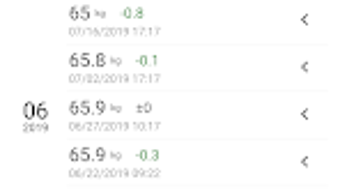
- Calendar and List Display Modes – The app supports dual visualization formats, enabling users to view their weight history either chronologically by day (calendar) or in a linear list. This flexibility supports different user preferences and enhances data interpretation.
- BMI Calculation – Based on user-entered height and weight, the app automatically computes BMI, offering a quick health metric to assess body composition and overall wellness.
- Data Backup and Restore – Weight Tracker includes functionality to back up records, ensuring data persistence across device changes or accidental deletions. This feature enhances reliability and user confidence in long-term tracking.
- Basic Progress Visualization – The app provides simple charts and statistical summaries to help users visualize trends over time, supporting goal setting and progress evaluation.
These capabilities collectively support users in maintaining consistent health monitoring habits. For example, a user aiming to lose 10 pounds can log morning and evening weights to identify patterns, use the calendar to spot weekly trends, and leverage BMI insights to assess overall progress. The integration of backup ensures that no data is lost during transitions, making it a reliable companion for long-term wellness journeys.
User Interface, Workflow & Performance
The user interface of Weight Tracker is described as clean and straightforward, prioritizing usability and minimizing cognitive load. Navigation is likely intuitive, with key functions such as logging weight, viewing records, and accessing BMI calculations accessible through a minimal number of taps. The workflow is streamlined to encourage consistent use, with minimal steps required to enter a new weight measurement.
While exact performance details were not specified, the app is designed for mobile environments, suggesting efficient operation within standard Android system constraints. Stability is implied by the inclusion of data backup, which indicates a focus on reliability. The developer did not specify resource usage details, so general assumptions about CPU and RAM behavior are not possible.
However, given its lightweight nature and focus on core tracking functions, it is likely optimized for low memory consumption and smooth operation on a wide range of Android devices. Users can expect a responsive interface with minimal lag during data entry and navigation, typical of well-structured mobile applications in the health category.
Compatibility & System Requirements
Weight Tracker is designed for Android devices and is available as a free application. The developer did not provide specific information regarding minimum system requirements, including OS version, RAM, or storage needs. As such, exact compatibility details are limited.
The app is likely compatible with modern Android versions, given its current release status, but users should verify compatibility with their device’s operating system. Installation size is not specified, though the app’s functionality suggests a lightweight footprint. Hardware requirements remain unclear, and no mention of support for tablets or other form factors was made.
Users are advised to consult their device’s app store listing for updated compatibility information. The developer did not provide additional details on device-specific optimizations or performance tuning.
Pros and Cons
Pros
- Free to download and use with no in-app purchases
- Simple, clean interface ideal for beginners and casual users
- Supports multiple daily weight entries for precise tracking
- Includes BMI calculation for holistic health insights
- Data backup feature ensures long-term data security
- Offers both calendar and list views for flexible data visualization
Cons
- No information on system requirements or device compatibility beyond Android
- Performance and resource usage details not provided
- Limited to basic statistics and charts; no advanced analytics or AI-driven insights
- Not available on iOS or desktop platforms
- Relies on manual data entry without integration with wearable devices or health platforms
FAQ Section
Is Weight Tracker available for iOS devices?
Currently, the app is only available for Android. There is no official version for iOS or desktop platforms.
Can I use Weight Tracker offline?
Yes, the app functions fully offline. All data is stored locally on the device, allowing users to log weight and view records without an internet connection.
How often can I log my weight?
You can record your weight multiple times per day, which is ideal for tracking fluctuations throughout the day.
Does the app support data backup?
Yes, Weight Tracker includes a data backup feature that allows users to save their records and restore them on a new device or after reinstalling the app.
Is the app secure and private?
The app stores data locally on the device. There is no indication of cloud synchronization or third-party data sharing, suggesting that user data remains private and secure on the device.
Final Thoughts + CTA
Weight Tracker delivers a focused and reliable solution for individuals committed to monitoring their body weight and BMI. Its clean interface, multi-entry logging, and built-in backup functionality make it a practical tool for anyone on a health or fitness journey. While it lacks advanced analytics and cross-platform availability, its simplicity and core functionality are strengths for users who value straightforward tracking without distractions.
The app is particularly well-suited for those who prefer manual input and local data storage. For users seeking a lightweight, free, and dependable weight tracking tool on Android, this app stands out as a solid choice. Download Weight Tracker now to take control of your health journey with confidence.







